 AI assistant
AI Chat Workspace
Turn a question into a clearer explanation, outline, or next step.
Study smarter, create better content, clean up files, and solve everyday tasks — with useful tools gathered in one easy place.

Give me 5 video ideas for my tech channel…
Useful starting points for your next video, study session, file, or idea.
AI assistantTurn a question into a clearer explanation, outline, or next step.
 Creator pick
Explore clear title angles that fit your topic and audience.
 Browser tool
Reduce image size in your browser and download the result.
 For students
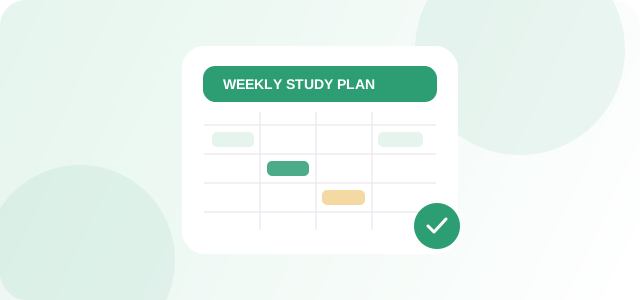
Organise subjects into a balanced weekly study routine.
Search, filter, and save tools. Each card shows whether it works in your browser or needs an AI provider.
Try a different phrase or clear the filters.
Choose the kind of work you want to move forward. CeveoAI gives you a useful starting point.
Calculate marks, plan a study week, or create practice prompts from your notes.
Turn your topic into title angles, a short-form script outline, or caption ideas.
Format JSON, count text, convert images, or create a simple QR code.
Original how-to articles, examples, and practical tips — not just lists of links.
STUDENT GUIDEA repeatable approach for asking better questions, practising retrieval, and checking your understanding.
Read the guide ↗CREATOR GUIDEBuild one clear idea into a short video with an opening, demonstration, and payoff.
Read the guide ↗FILE GUIDEUnderstand file size, transparency, compatibility, and what to choose for common tasks.
Read the guide ↗We explain what works locally, what uses a provider, and what still needs configuration.
Tool status is labelled where outside services are required.
Selected browser utilities and local generators can be used without an AI API key. Provider-connected features may incur usage charges and should be configured and labelled before launch.
Local calculators, text utilities, and selected browser tools work in this starter build. Live AI chat requires a server-side API key. Image generation, image Q&A, background removal, PDF merge/split, and user accounts need further integrations.
Image compression, resizing, and format conversion run locally in your browser. Other features should clearly explain any third-party processing before you provide a file.
Yes. The layout adapts to phone, tablet, and desktop screens. Browser capabilities such as text-to-speech voices may vary by device.
The AdSense publisher loader is installed. To show ads, enable Auto ads in your AdSense account or add a real responsive ad-unit snippet. Before applying, review original content, navigation, privacy disclosures, and working functionality. Google decides approval; it is not guaranteed.
Start with one useful tool. Find your rhythm. Keep building from there.
Find your first tool ↗Sign-in is not connected in this starter build. Saved tools and recent tools are stored only in this browser for now.
Email/Google sign-in and cloud history need a database and auth integration before launch.